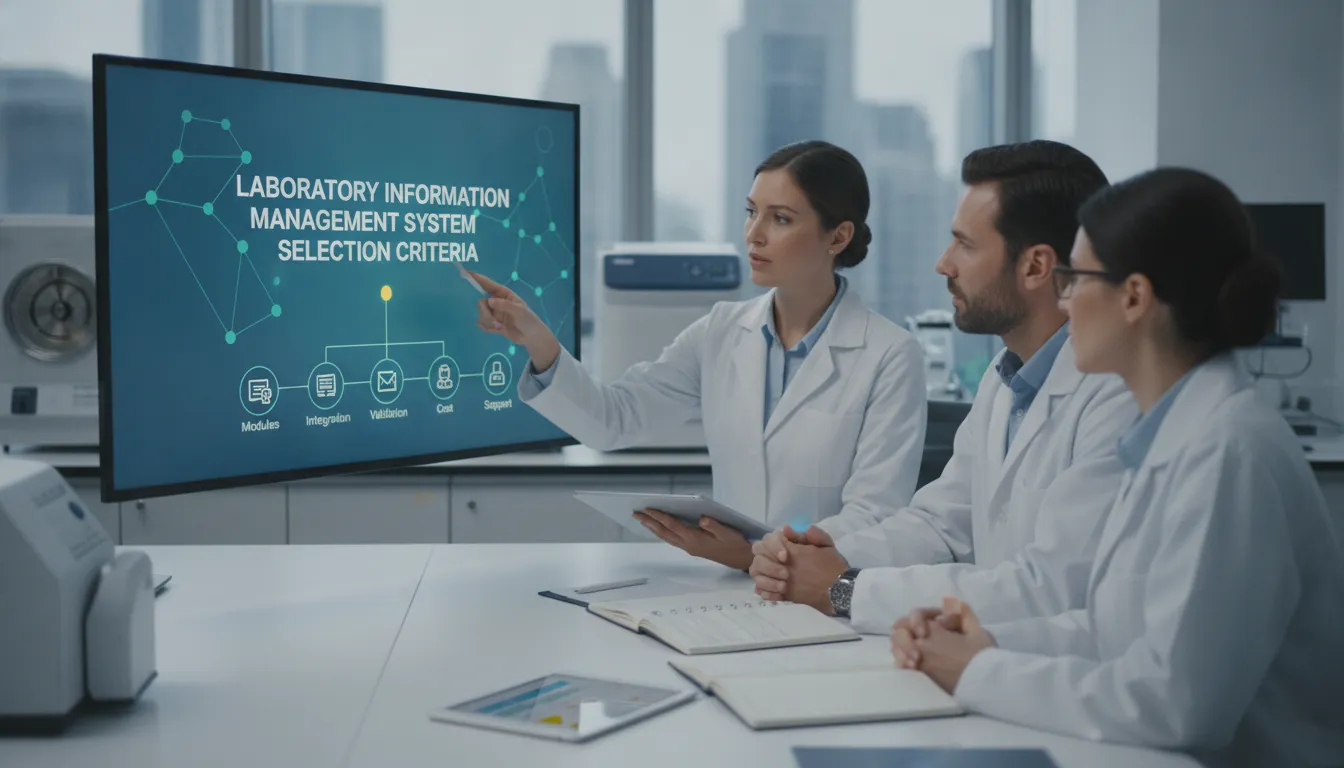
A LIMS should make laboratory work clearer and more consistent, not add complexity to the day. But every lab handles different samples, methods, instruments, reporting needs, and quality requirements. That’s why choosing a system based on a sales demo alone can lead to surprises later. If you’re researching how to choose a LIMS for a laboratory, begin with the needs of the people who will use and support it. Map your workflows, identify essential integrations, and define what success looks like. Then evaluate vendors against those priorities. Here’s a practical way to compare options and find a system that fits your lab.
Key Takeaways
- Document your lab’s needs first: Map sample workflows, data, reporting, integrations, user roles, and plans for future growth.
- Compare systems using realistic tasks: Ask vendors to demonstrate your workflows, then assess usability, configuration, integrations, compliance support, and scalability.
- Plan beyond the purchase: Review deployment, data migration, training, support, responsibilities, and total costs before selecting a vendor.
What Does a LIMS Do for Your Lab?
A laboratory information management system (LIMS) organizes sample information and the work connected to it. Your team can use it to track samples from receipt through testing, review, reporting, storage, and disposal. Instead of piecing together updates from paper records and separate spreadsheets, staff can work from shared, structured information.
A LIMS can also help standardize routine tasks, record changes, and make results easier to retrieve. Its value depends on how well it fits your lab’s processes, instruments, reporting needs, and quality requirements. Here are four ways the right system can support your day-to-day work.
Manage samples, data, inventory, and workflows in one system
A LIMS gives your lab a central place to manage sample records and the work associated with them. Staff can log samples, assign tests, record results, track locations, and update status as work progresses. That shared view helps the team see what is waiting, in progress, or ready for review.
Depending on the system, you can also connect sample records with inventory, equipment, and laboratory procedures. This makes it easier to check which materials are available or find details without searching through separate files. Look for a system that supports consistent workflows while allowing you to configure steps for different sample types and services. Labworks LIMS software supports sample, data, and inventory management, with configuration options for different lab workflows.
Cut manual entry, data silos, and reporting errors
Entering the same information into multiple systems takes time and increases the chance of errors. A LIMS can reduce repetitive entry by capturing data once and making it available to the processes and people that need it. Where integrations are available, instruments and other software can send information directly into sample records, helping limit transcription and copy-and-paste mistakes.
Integration needs vary from lab to lab, so ask vendors which instruments and platforms their systems support and how information moves between them. If key tools do not connect, staff may need to maintain separate records, creating data silos and slowing down work. Infosys describes how limited integration can hinder information flow. Ask how integrations are maintained and what happens when your lab changes an instrument or software platform.
Improve traceability, quality control, and compliance support
Traceability lets your team follow a sample’s history, including its handling, test results, and record changes. A LIMS can keep these details connected and create an audit trail showing who added or updated information and when. This gives authorized staff a clearer record to review during quality checks, investigations, or audits.
A LIMS may also support consistent procedures, review steps, and standardized reporting. These features can help your lab manage quality and compliance, but the system alone does not ensure compliance. Your lab still needs appropriate procedures, staff training, validation, and controls that match its requirements. In a microbiology implementation, researchers reported reduced transcription errors and more standardized reporting. Read the study of LIMS implementation in Timor-Leste for an example of how a system can support data quality and access.
Address bottlenecks, inconsistent processes, and growing workloads
As sample volumes increase, manual processes can make it harder to assign work, check progress, locate records, and keep results consistent. A LIMS can make tasks and sample status easier to track, helping staff spot delays and follow defined steps. This gives teams a clearer picture of where work stands and where a process may need attention.
Your processes may change as your lab adds services, adopts new methods, or updates reporting requirements. Ask whether authorized users can configure workflows through the system, and find out what review or validation a change requires. This matters if routine updates would otherwise depend on lengthy development work. Labbit explains how user-configurable changes can help labs respond to evolving processes. During a vendor demonstration, request a practical example of changing a workflow your team uses.
How Do You Assess Your Lab’s Requirements?
Start with the work your lab needs to manage, then use those needs to guide your LIMS evaluation. A clear assessment helps you compare vendors on practical fit, rather than getting distracted by features that may not address your day-to-day challenges. It also gives staff, IT, quality, and management a shared reference for making decisions.
Before speaking with vendors, document how samples move through the lab, what information you collect, which systems you rely on, and where delays or repeated work occur. Separate essential requirements from future plans, and ask the people who perform or oversee each process to review your findings. This early preparation can make demos more useful and help you identify questions about configuration, integrations, access, and implementation.
Map workflows from sample receipt through testing, storage, and disposal
Trace a sample’s path from arrival and registration through testing, review, storage, and disposal. Record the steps, handoffs, decisions, and information captured at each stage. Include exceptions, too, such as a rejected sample, a retest, or a change to a test request. These can reveal where staff re-enter data, rely on spreadsheets, or follow different procedures for the same task.
Ask the people who handle each step to describe what happens in practice, not only what a procedure document says. A workflow map gives your team a concrete way to explain its needs and compare how different systems would support them. The LIMS selection guidance from The Analytical Scientist also recommends identifying your lab’s problems before evaluating vendors.
Document data, reporting, inventory, instrument, and integration needs
List the information your lab collects, who needs it, and where it must go. Include sample details, methods, results, review records, and reports, along with inventory such as reagents and supplies. Note which instruments generate data and whether staff currently transfer results manually. This inventory helps clarify what you want the LIMS to manage and where an integration could reduce repetitive entry.
Document the software your lab already uses, such as billing, ERP, or document management systems. For each report, specify its audience, format, and frequency. Be precise about what the report needs to show and how staff use it. A focused needs assessment keeps vendor discussions centered on real operational problems and helps you ask whether the system can support the data flow your lab requires.
Define user roles, access needs, and usability priorities
Identify who will use the LIMS and what each person needs to do. Analysts may enter results and record instrument work; supervisors may review data and approve reports. Quality staff may need access to records and audit trails, while administrators may manage users or system settings. Define which tasks require approval and which records each role should be able to view or edit.
Consider how staff will access the system, whether at workstations, on mobile devices, or across multiple sites. Ask users which tasks need to be especially clear and quick to complete. Use those priorities to shape vendor demos, and involve users in testing the workflows they handle most often. Planning for training at this stage can help staff feel prepared and give your team a chance to address usability concerns before implementation begins.
Separate essential features from future needs
Create two lists: what the LIMS must support at launch and what your lab may need later. Essentials might include sample tracking, specific reports, inventory controls, or review steps. Future needs could include additional instruments, new testing services, more users, or another location. Ranking requirements helps your team compare options consistently and focus on what matters most now.
For each essential item, describe what success looks like. Specify, for example, which sample milestones staff need to track or what information a report must contain. Ask vendors to demonstrate those workflows and explain any limitations. Consider whether the system can adapt as your processes change. Labworks offers configurable LIMS software designed to fit lab workflows without customizations, which can be evaluated against both current requirements and future plans.
Involve lab staff, IT, quality, and other stakeholders
Bring together the people who will use, support, and oversee the system. Lab staff can explain operational needs; IT can assess infrastructure, security, and integrations; and quality teams can clarify documentation and compliance expectations. Managers can help rank priorities, define budget parameters, and plan for changes in services or workload.
Ask representatives from each group to review the workflow map and requirements list. This helps surface different expectations early, before they affect vendor selection or implementation. Record unanswered questions, assign someone to follow up, and agree on who will make each decision. The LIMS evaluation recommendations from The Analytical Scientist likewise emphasize involving key stakeholders throughout the process. A shared assessment gives your team a practical foundation for comparing systems and planning the next steps.
Which LIMS Features Matter Most?
The right LIMS should fit the way your lab works now and support changes as your needs develop. A system may offer an impressive list of features, but what matters is whether it can handle your actual workflows, connect with the tools your team relies on, and make information easy to manage. Use the requirements you gathered to assess each feature against day-to-day tasks, from receiving samples to reviewing results and preparing reports.
Ask vendors to demonstrate those tasks with realistic examples, not just a standard product tour. Invite lab staff, IT, and quality team members to take part, and note where a system feels clear or creates extra steps. Product demonstrations can help you assess usability, security, reporting, automation, scalability, and integration, as Labware recommends. The features below offer a practical starting point for comparing LIMS options.
Configure workflows without unnecessary customizations
Lab processes can change as testing methods, customer needs, and quality requirements evolve. Look for a LIMS that allows authorized users to configure workflows through the system, rather than relying on custom code for every adjustment. This can make it easier to update sample steps, forms, calculations, and approvals while keeping the system aligned with your procedures.
Ask vendors to demonstrate a change your lab may need, such as adding a test or revising a review step. Find out who can make the change, how it is tested, and whether it affects other workflows. A system that can adapt through configuration may help your lab respond more easily to evolving processes, an issue explored in Labbit’s discussion of legacy LIMS challenges. Labworks offers configurable LIMS software designed to fit lab workflows without customizations.
Offer easy-to-use web, mobile, or client interfaces
Staff may need to use a LIMS at a desk, in a lab, in the field, or across multiple sites. Ask whether the system offers web, mobile, or client interfaces, then confirm which features are available through each one. A mobile interface may help staff record field samples or check inventory, while a client interface may suit users who work with detailed data throughout the day.
During a demonstration, ask intended users to complete familiar tasks, such as logging a sample, finding a result, or checking stock. Notice how many steps each task takes and whether the screens and labels are easy to understand. Labware recommends using demos to assess LIMS usability, along with security, reporting, and scalability. Also check device compatibility, accessibility, and how the interface performs when connectivity is limited.
Integrate instruments, ERP platforms, and existing software
A LIMS often needs to exchange information with instruments, enterprise resource planning (ERP) platforms, and other laboratory or business software. Integrations can reduce repeated data entry and help staff work with connected sample and operational information. The right connections depend on your lab’s instruments, current systems, and processes, so list those needs before speaking with vendors.
Ask which systems and data formats the LIMS supports, how each connection works, and whether setup involves extra fees or services. Request a demonstration with an instrument or platform like yours, and ask how the system flags and handles transfer errors. Infosys describes how integration can automate data flow and reduce manual entry. Clarify who maintains each connection and how it will be tested after either system changes.
Automate processes, handle data reliably, and report clearly
A LIMS can automate routine work, such as assigning sample identifiers, routing tasks for review, calculating results, and notifying staff when an action is due. Make sure automation follows your approved procedures and gives staff a clear way to handle exceptions, corrections, and approvals. Ask vendors to show what happens when a sample needs additional review or a result requires a change.
Check whether staff can find needed information quickly, create reports for different roles, and export data in useful formats. Bring examples of reports your lab relies on and ask the vendor to recreate them during a demo. Labware advises evaluating reporting and automation options as part of the LIMS selection process. Also ask how the system checks data entry, records changes to results, and helps users identify incomplete or inconsistent information.
Support audit trails, electronic records, access controls, and compliance
If your lab follows regulatory or quality requirements, assess how a LIMS can support the rules that apply to your work. Relevant features may include audit trails, electronic records, role-based access, approval steps, and controls for managing data. These tools can help document activity and support consistent processes, but the software alone does not ensure compliance. Your procedures, system configuration, validation, and staff practices all play a part.
Ask vendors to show how the system records user actions, assigns permissions, and makes records available for review. Confirm that its capabilities align with the standards and regulations your lab must follow. Thermo Fisher explains how a reliable LIMS can support data integrity and compliance. Request information about security, backups, system changes, and validation support, then review it with your quality and IT teams.
Scale to support more samples, users, locations, and services
Your lab may take on more samples, add new tests, expand to additional sites, or serve new customers. Choose a LIMS that can support these changes while keeping core processes manageable. Ask how the system handles higher sample volumes, more users, additional workflows, and greater reporting needs. If you plan to connect more instruments or software, include those expected changes in your evaluation.
Find out how licensing, storage, performance, and support may change as your lab grows. Ask whether adding a location or workflow requires new configuration, additional fees, or outside development. The Analytical Scientist emphasizes choosing a scalable, flexible platform that can adapt to future workflows and integrations. Share your likely next steps with vendors and ask them to demonstrate how their system would support that growth.
How Do Deployment and Implementation Choices Affect Fit?
A LIMS can support your lab’s workflows and still be a poor fit if your team can’t access it easily, your IT staff can’t maintain it, or implementation demands more time than you can spare. Deployment and rollout decisions affect daily work, ongoing costs, and how readily the system can adapt as your lab changes. Consider these factors alongside features and price, not after you’ve chosen a vendor.
Start by documenting where staff need to use the system, what infrastructure and support your organization can provide, and which data policies or quality procedures apply. Then ask vendors to describe their implementation process in practical terms: what they configure, what your team is responsible for, how they handle data migration, and what support continues after launch. Ask for references from labs with similar workflows and complexity, and speak with those customers about their actual experience. QBench’s LIMS buyer’s guide offers useful questions for comparing implementation approaches.
Use the subtopics below to assess deployment models, plan the transition, and set clear expectations before committing.
Compare cloud, hosted, on-premise, and hybrid deployments
With a cloud LIMS, users generally access the system online, and the provider manages some or all of the underlying infrastructure. “Hosted” can also mean the software runs on external infrastructure, though the hosting arrangement and division of responsibilities vary by vendor. With on-premise deployment, the software runs on infrastructure managed by your organization. Hybrid approaches combine local and external systems or services.
These labels can overlap, so ask vendors to explain exactly where the software and data reside, who manages servers and backups, and how updates are delivered. Then compare the options with your IT capacity, connectivity, data policies, and access needs across locations. Labworks offers cloud, hosted, and on-premise LIMS options, giving labs different deployment models to consider against their operating requirements.
Weigh security, maintenance, access, and infrastructure needs
List who needs to use the LIMS, where they’ll work, and which devices they’ll use. Ask vendors how the system handles permissions, backups, updates, availability, and recovery. Clarify which security and maintenance tasks belong to the provider and which remain with your IT or lab team. Avoid assuming one deployment model is automatically more secure; assess each option against your organization’s policies and controls.
Consider the resources required to maintain the system, too. A lab with limited IT capacity may prefer a model that reduces server management, while an organization with established infrastructure may want more direct control. Ask for specific details about support and data protection, and how the system helps preserve data integrity and support compliance. Thermo Fisher’s LIMS vendor evaluation guide outlines why these factors matter when comparing providers.
Assess how configuration and scalability support future changes
Your lab may add instruments, methods, users, locations, or services over time. Look for a LIMS that can be configured to reflect your workflows without relying on custom development for every routine change. During a demo, ask the vendor to show how a workflow is adjusted, who can make the change, and how the team tests it before using it in daily work.
Check how the system handles increased sample volumes and more complex processes. Ask what happens when you add a location or change an approval step, and whether that affects reporting or integrations. A vendor should explain both the system’s flexibility and its limits. Labworks describes its LIMS as configurable to fit lab workflows without customizations, an approach to discuss if your processes are expected to evolve.
Plan data migration, validation, training, and change management
Implementation often means moving sample records, test methods, inventory, customer details, and historical results from spreadsheets or other systems. Agree on which data will transfer and how it will be checked. Decide how your team will handle incomplete, duplicate, or inconsistent records before migration begins. If your quality procedures require validation, define the testing and documentation needed before staff rely on the LIMS for routine work.
Plan training around the roles of people who receive samples, perform tests, review results, and manage records. Give users time to practice, ask questions, and share feedback before full rollout. Ask vendors how they support validation, training, and process changes, then request references from customers with similar implementation needs. LabWare’s LIMS evaluation guidance recommends researching providers and speaking with existing customers before making a decision.
Clarify responsibilities, timelines, and total cost of ownership
Request a written implementation plan with phases, milestones, and named owners. Confirm who will configure workflows, prepare and verify data, coordinate integrations, test the system, and approve it for use. Ask how much time your staff must contribute, when vendor specialists will be available, and how the schedule may change if testing identifies issues. A detailed plan helps you judge whether the proposed timeline fits your lab’s workload.
Estimate the full cost of ownership, not just the software fee. Include implementation, data migration, training, integrations, support, maintenance, and future expansion. Ask which services are included and which may cost extra. Since a LIMS is a long-term operational choice, also review the provider’s support model, upgrade approach, and stability. Scispot’s vendor selection guide recommends assessing vendors with the long-term relationship in mind.
Set realistic expectations: a LIMS isn’t one-size-fits-all or an instant fix for every data issue
A LIMS can bring sample, testing, inventory, and workflow information into a more consistent system. It won’t necessarily manage every scientific data need or connect every business application without additional tools or integrations. Before choosing a system, define which processes it should support and identify where data will continue to live elsewhere.
The system also depends on clear processes and good data practices. Your team will need to agree on workflows, train users, and review how the LIMS performs after launch. Ask vendors to explain product limitations, integration boundaries, and what falls outside the system’s scope. This helps you plan for complementary software or process changes where needed. Waters explains the limits of relying on a LIMS alone, including broader data management and business integration needs.
How Should You Evaluate LIMS Vendors?
A LIMS is a long-term investment, so compare vendors against your lab’s workflows, not just a list of features. Use the same evaluation process for each option, involve the people who will use and support the system, and ask for clear answers about implementation, service, and total costs.
Build a requirements scorecard and rank essential criteria
Turn your lab’s requirements into a scorecard that covers workflow fit, usability, integrations, reporting, compliance support, deployment, implementation, and cost. Mark each item as essential, important, or optional. You can also assign weights so a requirement such as reliable instrument integration counts more than a useful but nonessential feature.
Use the same scorecard for every vendor, and record evidence from demos, written responses, and customer references. This makes trade-offs easier to compare and helps your team focus on what matters most. LabWare’s LIMS evaluation guidance recommends comparing vendors, gathering feedback from stakeholders, and requesting customer references.
Request workflow-based demos and involve intended users
Ask each shortlisted vendor to demonstrate tasks your team handles, such as receiving a sample, assigning tests, reviewing results, managing inventory, and preparing a report. Share the same demonstration script with every vendor so you can compare how each system handles your requirements. A standard product tour may look polished but leave important workflow questions unanswered.
Invite analysts, supervisors, quality staff, and administrators to the demo. Ask them to note how many steps common tasks take, whether screens are clear, and where manual work remains. Their feedback can uncover usability issues that a management-only review may miss. The Astrix LIMS selection case study shows how tailored guidance can keep demonstrations focused on a lab’s priorities.
Ask about configurability, integration limits, and product limitations
Ask vendors how their systems adapt to your workflows. Find out which settings your team can manage, which changes require vendor support, and whether software updates affect configured processes. Clarify the difference between configuration and custom development, including the related costs and ongoing maintenance responsibilities.
Review integration needs early. List the instruments, ERP platforms, data systems, and other tools that must exchange information with the LIMS. Ask which connections are already supported, what technical work is required, and who maintains each integration. Request examples from labs with similar systems. This overview of LIMS integration challenges explains why it is important to clarify data flows and technical requirements before implementation.
Assess implementation, training, support, upgrades, and vendor stability
Request an implementation plan that covers configuration, data migration, testing, validation support, training, and launch. Confirm what your staff must provide, who will lead each activity, and how the vendor handles delays or changes in scope. Ask for a breakdown of implementation fees and recurring costs so you can plan resources as well as budget.
Review support hours, response targets, training options, and upgrade frequency. Ask how the vendor communicates updates and whether support staff understand laboratory workflows. Since your relationship with a LIMS provider may last for years, ask about experience serving labs like yours, customer retention, and product development plans. This vendor health check suggests assessing customer growth and the value of recent product updates.
Verify compliance capabilities, references, user feedback, and total costs
List the compliance requirements that apply to your lab, then ask vendors to show how their systems support them. Review audit trails, access controls, electronic records, data retention, and approval workflows. Confirm which capabilities are included, which require configuration, and what remains your organization’s responsibility. A LIMS can support compliance processes, but your lab still needs appropriate procedures, validation, and oversight.
Ask for references from customers with similar workflows, sample volumes, and regulatory needs. Ask about implementation, system reliability, support response, and any challenges the lab faced. Then calculate total cost of ownership, including licenses, implementation, integrations, training, support, infrastructure, and upgrades. Thermo Fisher’s guide to evaluating a LIMS vendor offers useful perspective on choosing a system and provider for the long term.
Consider Labworks’ configurable LIMS and cloud, hosted, and on-premise options
As you compare vendors, consider whether a system can fit your lab’s workflows through configuration rather than custom code. Labworks’ LIMS software supports sample, data, inventory, and workflow management, with web, mobile, and client interfaces. Ask for a demonstration built around your requirements, and clarify which settings your staff can maintain.
Deployment also affects fit. Labworks offers cloud, hosted, and on-premise options, allowing labs to compare approaches based on infrastructure, security policies, access needs, and maintenance capacity. Review the industries Labworks serves to learn about its work with different laboratory environments. Discuss implementation, training, and support directly with the vendor to understand what your team can expect.
Frequently Asked Questions
What does a LIMS do in a laboratory?
A LIMS helps manage sample records and related work, such as assigning tests, recording results, tracking inventory, and preparing reports. The exact capabilities vary by system, so check whether a vendor can demonstrate the workflows your lab uses.
How do I know which LIMS features my lab needs?
Map your sample workflows, data, reports, instruments, and user roles before comparing systems. Rank requirements as essential, important, or optional, then ask vendors to demonstrate your highest-priority tasks.
Can a LIMS ensure my lab meets compliance requirements?
A LIMS can support compliance with features such as audit trails, access controls, and review steps, but software alone cannot ensure compliance. Your lab also needs appropriate procedures, staff training, validation, and oversight.
Should my lab choose a cloud, hosted, or on-premise LIMS?
Compare where the system and data will reside, who handles maintenance and backups, and how staff will access it. The right option depends on your lab’s infrastructure, IT resources, data policies, and access needs.
What should we plan for during LIMS implementation?
Plan for workflow configuration, data migration, integrations, testing, validation, training, and staff time. Ask the vendor for a written timeline that identifies responsibilities, costs, and support before and after launch.