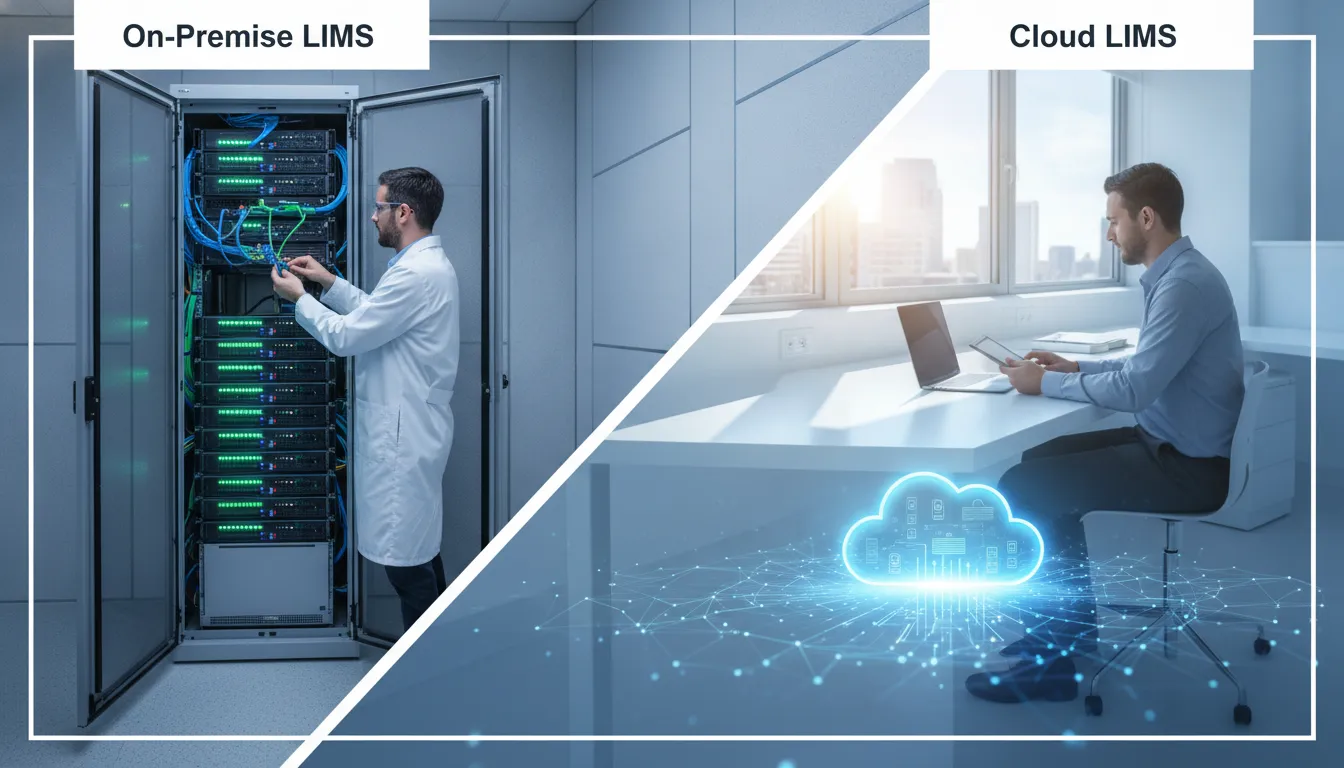
A sample can pass through several hands before a result reaches a customer. Your LIMS needs to keep every step clear, but where that system runs can shape how your team maintains it, accesses records, and responds to interruptions. When comparing on-premise LIMS vs cloud LIMS, look beyond the hosting label. Consider your IT resources, data requirements, internet reliability, and plans for growth. An on-premise system may give your organization direct oversight of its infrastructure, while a cloud or hosted option may shift some maintenance tasks to a provider. Neither model fits every lab. This guide explains the differences and offers practical questions to help you assess which deployment suits your workflows.
Key Takeaways
- Match deployment to your lab’s requirements: Weigh IT resources, connectivity, data-location needs, workflows, and growth plans when comparing cloud, hosted, and on-premise LIMS.
- Clarify responsibilities and safeguards: Confirm who manages updates, backups, access, support, and recovery, and document how staff will continue work during an outage.
- Compare costs and capabilities over time: Include implementation, migration, validation, training, integrations, support, and expansion, then ask vendors to demonstrate your lab’s workflows.
What Separates On-Premise LIMS From Cloud LIMS?
A LIMS deployment model describes where the software runs and who manages the infrastructure behind it. With an on-premise system, the lab typically runs the software on servers it owns or manages. With a cloud LIMS, the system runs on infrastructure outside the lab and staff usually access it over the internet. These differences shape how your team handles maintenance, backups, remote access, and day-to-day IT work.
Neither model is automatically the better fit. The right choice depends on your lab’s technical resources, data requirements, connectivity, and plans for growth. It’s also worth separating deployment from functionality: hosting a LIMS in the cloud does not determine whether it can support your lab’s workflows. Labworks offers configurable LIMS software with different deployment options, so teams can evaluate both how a system is hosted and how it fits their operations. As you compare solutions, ask vendors to explain exactly what they manage and what your lab remains responsible for.
Where Do Labs Host Software, Servers, and Data?
An on-premise LIMS typically runs on servers located at the lab or within infrastructure managed by the organization. The lab has a direct role in deciding where information is stored and how the server environment is maintained. That arrangement can work well for teams with established IT infrastructure or specific data-location requirements, but it calls for planning around server capacity, security, and upkeep.
A cloud LIMS runs on infrastructure outside the lab, often in a provider’s data center, and users commonly connect through a browser. Hosting arrangements vary, so ask where the servers are located and where backups are kept. The BTSOFT comparison of cloud and on-premise LIMS describes the difference in where each model is hosted. Confirm that the proposed setup meets your organization’s data and access requirements.
Who Manages Infrastructure, Updates, Backups, and Access?
With an on-premise LIMS, the lab’s IT team generally manages servers and related infrastructure. Depending on the agreement, the team may also be responsible for software updates, backups, and recovery procedures. The vendor may provide technical support or upgrade services, so clarify which tasks are included before implementation.
For cloud or vendor-hosted systems, the provider may manage infrastructure, platform updates, backups, and availability. The service agreement should spell out those responsibilities rather than leaving them to assumptions. Your lab still manages how staff use the system, including user accounts, permissions, and training. LabLynx’s overview of LIMS hosting models explains how provider-managed services can cover platform tasks. Ask vendors who responds to incidents, how often backups occur, and how your team can verify that recovery procedures work.
How Do Staff Access Samples, Results, and Workflows?
An on-premise LIMS is often accessed through the lab’s internal network. Staff can use it at connected workstations, while remote access may require additional network configuration. If your team works across multiple sites, uses mobile devices, or needs to connect instruments, ask how the system supports those needs and what setup is required.
Cloud LIMS is commonly accessed through a browser and internet connection, which can make it easier for authorized staff to work from different locations. Access still depends on reliable connectivity and correctly configured user permissions. Consider the tasks your staff perform most often, from receiving samples to reviewing results, and test those workflows during a demonstration. Labworks supports web, mobile, and client access options, giving labs choices for connecting users to their work.
What Do Cloud, Vendor-Hosted, and On-Premise Mean?
On-premise generally means the lab runs the LIMS on infrastructure it owns or manages. Cloud describes software that runs on networked computing infrastructure and is accessed remotely. Vendor-hosted means the provider arranges or manages the hosting. That hosting may use cloud infrastructure, but the term alone does not explain where the servers are or who owns them.
Vendors may use these terms differently, so ask for specifics. Find out where the system and data are hosted, who maintains the servers, where backups are stored, and what services the contract covers. Also ask how your lab can retrieve its records if the agreement ends. The key distinction is not just the label, but how the arrangement works in practice and whether it meets your lab’s technical and operational requirements.
How Can Configurable Workflows Fit Different Labs?
Labs vary in how they receive samples, assign tests, review results, manage inventory, and prepare reports. During a LIMS evaluation, map those steps and ask vendors to show how the system handles your actual sample types, calculations, approvals, and reporting needs. A realistic demonstration can reveal whether the software supports your process or requires staff to rely on workarounds.
Configurable software can adapt to a lab’s processes through settings, rather than changes to the underlying code. That can make it easier to adjust workflows as requirements change or software updates are introduced. Labworks describes its LIMS as configurable to fit laboratory workflows without customizations. Review its LIMS capabilities and deployment options, then ask vendors to demonstrate a workflow your team uses every day.
What Are the Trade-Offs of Each Deployment Model?
Choosing a LIMS deployment model affects more than where the software runs. It determines who manages the infrastructure, how staff access the system, how costs are distributed, and what happens when service is interrupted. The best fit depends on your lab’s IT capacity, connectivity, compliance requirements, operating locations, and plans for growth.
Compare the full operating model, not just the purchase price or a general claim about security. Consider who handles updates, backups, recovery, support, and user access. Also map out how staff will complete essential work during an outage and bring records up to date afterward. A comparison of cloud and on-premise LIMS can help your team prepare focused questions for vendors.
Labworks offers cloud, hosted, and on-premise LIMS options. As you weigh the trade-offs, consider how each model would support your sample workflows, instruments, staff, and sites.
On-Premise LIMS: Control Infrastructure and Oversight
With an on-premise LIMS, the software runs on infrastructure managed by the lab or its organization. This gives your team direct oversight of the server environment and maintenance schedule. It can be a practical fit when internal IT procedures or data-hosting requirements call for managing systems within your own environment.
That oversight comes with responsibility. Your team typically plans and manages infrastructure access, maintenance, updates, backups, and recovery. You’ll also need to monitor system capacity and availability as sample volumes, users, and workflows change.
On-premise deployment may suit laboratories with established IT support and the resources to maintain the system over time. Keep in mind that control alone does not ensure security or compliance. Those depend on how the LIMS is configured and maintained, and on the lab’s procedures for using it.
On-Premise LIMS: Invest in Hardware and IT Work
An on-premise deployment can require significant planning and spending before staff begin using the LIMS. Your lab may need servers, storage, network capacity, backup systems, software licenses, and IT staff with the skills to administer the environment. Lab Manager’s overview of LIMS deployment models describes infrastructure and staffing needs to include in that assessment.
Costs continue after implementation. Hardware needs maintenance and eventual replacement, and the LIMS may need upgrades, security patches, and performance monitoring. Budget for backup management and recovery testing as ongoing work, not one-time setup tasks.
Growth can mean additional investment, too. More users, higher sample volumes, new instruments, or another site may require added infrastructure. Before choosing this model, estimate the equipment, staff time, and support your lab will need throughout the system’s lifecycle.
Cloud LIMS: Access Remotely and Reduce Infrastructure Management
A cloud LIMS is hosted outside the lab’s local server environment and is typically accessed through a browser. Depending on the service agreement, the provider may manage infrastructure maintenance, software updates, and security patches. This can reduce the lab’s day-to-day server workload and help authorized staff access the system across locations.
Cloud services often use subscription pricing, which can reduce the need for a large initial investment in hardware. Capacity may also be easier to adjust as the lab adds users or expands operations. The details depend on the provider’s service terms, the system’s configuration, and the lab’s internet connection.
Remote access can help teams review sample status and workflows across sites. Still, clarify what the provider manages and what remains your responsibility. User access, staff training, data review, and lab procedures may require ongoing attention. Use a cloud and on-premise LIMS comparison to frame questions about service terms, costs, and infrastructure.
Cloud LIMS: Depend on Internet Access and the Provider
Cloud access depends on a reliable connection between your lab and the hosted system. If internet service is interrupted, staff may have trouble reaching sample records, entering results, or completing other LIMS tasks. Labs with unreliable connectivity, or work that cannot pause, should decide in advance how essential tasks will continue. Confident LIMS’ discussion of cloud and on-premise systems identifies connectivity as an important factor to assess.
Your lab also relies on the provider’s service, support, and recovery arrangements. Ask how incidents are reported, how service is restored, how backups are protected, and when planned maintenance occurs. Confirm how to contact support and what response times the agreement specifies.
Build an outage plan around your actual workflows. Identify the records and tasks staff need to continue work, how temporary records will be controlled, and how information will be reconciled when access returns. Check that the provider’s recovery procedures align with your lab’s operating needs.
What Do Labs Often Misunderstand About Cloud Security, Control, Costs, and Downtime?
Cloud does not automatically mean weaker security or less control, just as on-premise does not guarantee greater protection. The practical questions are who administers each part of the system, how access and data are managed, and whether the controls meet your lab’s requirements. LabLynx’s discussion of cloud and on-premise LIMS explains why administration and outage readiness matter alongside security.
Cost comparisons can also miss important details if they focus only on a subscription or hardware purchase. Include staffing, maintenance, support, upgrades, backups, training, and future capacity in your estimate. A cloud service may reduce infrastructure work, but your lab still needs people and procedures to manage the system.
Finally, outages can affect either model. Local systems may be disrupted by hardware or power problems; cloud access may be affected by connectivity or provider issues. Ask vendors how their service supports your operating needs, then document how staff will protect records and resume work after an interruption.
How Do Compliance, Security, and Data Control Compare?
Choosing a cloud or on-premise LIMS does not determine whether your laboratory meets its compliance obligations. Requirements depend on your work, the records you manage, and the procedures your team follows. Both deployment models can support standards such as 21 CFR Part 11 and ISO/IEC 17025, but the system must be configured, validated, and used appropriately. A LIMS can help teams apply procedures consistently and keep records organized, but it cannot make a laboratory compliant on its own.
The main difference is often who manages the technology behind the system. With on-premise software, your lab usually has direct responsibility for servers, backups, and infrastructure security. A cloud or hosted provider may manage some of those tasks, while your lab remains accountable for its data and regulated processes. The exact division depends on the service agreement, so review it carefully. Labworks’ configurable LIMS can be deployed in cloud, hosted, or on-premise environments, giving labs flexibility to match their workflows and IT needs. Compare responsibilities, controls, and evidence before selecting a model.
Which Responsibilities Do Labs Retain in Either Model?
Your laboratory remains responsible for the quality of its work and the records that support it, regardless of where the LIMS runs. That includes defining procedures, training staff, assigning suitable permissions, reviewing results, and ensuring that work follows applicable regulations and internal quality standards. Your team should also decide how to verify that the system continues to support those processes as workflows or requirements change.
Infrastructure tasks may shift between your lab and a provider. An on-premise lab generally manages server maintenance, backups, and IT redundancy. A cloud or hosted provider may handle some of those duties, but your lab should confirm how they are carried out and whether the arrangements meet its requirements. As Labbit notes, deciding who maintains the infrastructure is an important part of choosing a deployment model. Document who handles incidents, system changes, and recovery.
How Do Access Controls, Audit Trails, Electronic Records, and Signatures Work?
Review how a LIMS assigns user roles, limits access to records, logs changes, records approvals, and handles electronic signatures. These controls should support your lab’s procedures, including how staff review results and correct data. Ask the vendor to demonstrate the features using a workflow that resembles your own, rather than relying on a general product overview.
The system’s features are only part of the picture. Your lab must define how staff use them, provide training, and verify that records are complete and reliable. Check what appears in an audit trail, how long it is retained, and how authorized staff can retrieve it during an inspection. A LIMS can support consistent practices by helping labs align workflows with documented procedures and quality standards, as described in this overview of laboratory quality practices.
When Might 21 CFR Part 11, ISO/IEC 17025, GDPR, or HIPAA Apply?
The requirements that apply depend on your lab’s activities, location, customers, and the information it handles. 21 CFR Part 11 may be relevant when electronic records or signatures are used in FDA-regulated activities. ISO/IEC 17025 applies to testing and calibration laboratories seeking to demonstrate competence. Neither calls for a particular hosting model. A cloud or on-premise LIMS may support compliance when it is properly configured and managed.
Privacy rules have their own scope. The GDPR may apply to organizations processing personal data within its scope. HIPAA applies to covered entities and business associates handling protected health information in the United States. Work with your quality, legal, or compliance team to determine which rules apply, then map them to system controls and procedures. A vendor’s compliance claims do not replace your lab’s assessment.
How Can Labs Assess Vendor Security, Audit Evidence, and Incident Response?
Ask vendors for specific, current evidence of their security practices. Depending on your requirements, this may include certifications, independent assessment results, access-control details, encryption practices, and processes for managing system changes. BTSOFT recommends reviewing vendor security certifications and performance results, which can help structure your evaluation.
Ask how the vendor detects and reports incidents, who your team can contact, and when the provider will notify you if data or service is affected. Request details about audit evidence, backup schedules, recovery testing, and any subcontractors that may handle your data. If you choose on-premise software, assess your own IT team’s ability to provide equivalent security and incident response. Record the answers, compare them with your policies, and resolve gaps before signing an agreement.
How Do Data Ownership, Residency, Retention, Export, and Deletion Requirements Differ?
The deployment model affects where data is stored and who operates the infrastructure, but contracts and technical arrangements determine many practical details. Confirm that your lab retains ownership of its records, and identify where primary data and backups will reside. If regulations, customer agreements, or internal policies restrict data location, verify that the proposed setup meets those requirements before implementation.
Clarify retention periods, export options, and what happens to records when a service agreement ends. Ask whether data can be exported in a usable format, how active records and backups are deleted, and whether the provider can confirm deletion. With on-premise software, your team has direct responsibility for storage, retention, backup, and disposal. Hosted services may share these duties with the provider. As Confident LIMS explains, data location, internet reliability, and responsibility for maintaining the system are key factors in comparing deployment options.
Who Handles Maintenance, Support, and Outage Readiness?
Maintenance and outage planning depend on where your LIMS runs, who manages its infrastructure, and what your service agreement covers. With an on-premise system, your lab typically takes more responsibility for servers, networks, backups, and recovery. With a cloud system, the provider may manage more of the underlying platform, but your team still handles user access, laboratory workflows, compliance practices, and continuity planning.
Don’t assume that “cloud” means the provider handles every task, or that an on-premise system must be managed entirely by your staff. Responsibilities vary by product, deployment, and contract. A vendor-hosted system, for example, may be managed by the software provider. Labworks offers cloud, hosted, and on-premise deployment options, giving labs different ways to align system management with their IT capacity and operational needs.
Before choosing a deployment model, list the tasks that need an owner: applying updates, testing changes, checking backups, restoring data, responding to support requests, and keeping work moving during an outage. Confirm who handles each task and how quickly they are expected to respond. Clear responsibilities help protect sample workflows, results, and reporting when systems or infrastructure need attention.
What Must Labs Manage for On-Premise Patches, Upgrades, Backups, and Recovery?
With an on-premise LIMS, the lab typically manages the infrastructure that runs the system. This may include servers, storage, network equipment, operating systems, and database services, as well as the IT staff or service providers who maintain them. Lab Manager’s comparison of deployment models notes that on-premise systems can require investment in hardware and qualified IT support.
Define who schedules patches and upgrades, tests changes before release, monitors system health, and confirms that backups complete successfully. Set rules for backup frequency, retention, storage location, and restoration testing. A backup plan is only useful if the team knows how to restore data and resume work.
Include laboratory and quality staff in upgrade planning. They can verify that workflows, instrument connections, reports, and controlled records still work as expected after a change. Document approvals and test results according to your procedures.
What Do Cloud Providers Manage, and What Must Labs Handle?
A cloud provider may manage servers, operating systems, databases, backups, and software updates, but the exact division of work depends on the service agreement. The lab usually remains responsible for areas such as user accounts, permissions, data quality, workflow configuration, and compliance procedures. LabLynx’s overview of deployment models explains how cloud services can shift infrastructure management to the provider.
Ask providers to define what “managed” includes. Does the service cover application updates, backup monitoring, security patches, and recovery support? Who tests updates, and how much notice will your lab receive? Clarify which tasks remain with your IT or quality teams.
Even when a provider manages the platform, your lab should maintain user-access reviews, staff training, incident procedures, and records of significant system changes. Confirm how to access and export your data, and who to contact if a service issue disrupts sample processing or reporting.
How Can Labs Prepare for Internet, Power, Hardware, and Provider Outages?
Start by identifying which laboratory activities depend on LIMS access. Map the steps staff need to take when the system is unavailable, such as receiving samples, recording critical observations, or communicating results. Write approved fallback procedures, assign decision-makers, and specify how temporary records will be reconciled with the LIMS once service returns.
Cloud systems rely on internet access, so assess connection reliability at every location where staff use the software. Confident LIMS identifies connectivity as a consideration for cloud deployment. Discuss backup internet connections and power protection with your IT team and provider. On-premise labs should also plan for hardware failures, network disruptions, and power loss.
Test the plan rather than leaving it on paper. Run an outage exercise, make sure staff can find current instructions, and confirm how they will protect data and preserve traceability. Keep fallback forms controlled and accessible, with clear steps for entering information into the LIMS later.
How Should Labs Compare Uptime Commitments, Recovery Objectives, and Restore Procedures?
Ask vendors to define their uptime commitment and explain how they measure it. Review what counts as an outage, whether planned maintenance is excluded, and what remedies apply if service falls short. An uptime figure alone does not tell you how quickly the system can be restored or how much recent data could be affected.
Discuss recovery objectives in practical terms. The recovery time objective is the target time for restoring service. The recovery point objective describes how much data, measured by time, the lab could lose after an incident. Ask how backups are protected, how often restoration is tested, and whether the provider can share evidence of recovery tests. For on-premise systems, document these details with the IT team responsible for recovery.
Compare the commitments with your laboratory’s operating needs. A lab processing time-sensitive samples may need different recovery arrangements from one with more flexible workflows. Lab Manager recommends weighing operational, financial, and compliance impacts when assessing deployment choices.
How Can Labs Set Support Coverage, Escalation Paths, and Responsibilities?
Build a support plan before implementation. Confirm support hours, contact methods, response targets, and whether coverage includes nights, weekends, and holidays. Ask how the provider classifies issues, what information staff should include when reporting a problem, and when an issue moves to technical specialists or management.
Assign internal owners as well. Staff should know who reports an outage, contacts the vendor, informs laboratory leadership, and approves a temporary workflow. Keep contact details and escalation steps easy to find, including outside normal office hours. Document responsibilities in operating procedures, and review them when roles or service agreements change.
Track recurring issues, resolution times, and system availability to identify patterns and follow up with the provider. Laboratory KPIs can help managers monitor performance and identify problems that need attention. Use practical measures, such as time to acknowledge incidents and time to restore critical functions, when reviewing support.
How Do Costs, Scalability, and Performance Compare?
Choosing a LIMS deployment affects more than the software price. Your lab also needs to account for infrastructure, implementation, staff time, support, and the work required to keep the system reliable. On-premise LIMS may involve direct investment in servers and IT operations, while cloud LIMS typically shifts more infrastructure responsibilities to a provider. Neither option is automatically less expensive. The best fit depends on your existing resources, compliance needs, workflows, and growth plans.
To compare performance and scalability, consider how sample volumes may change, how many staff need access, and whether your lab operates at multiple sites. Think about instrument connections, data volumes, and how quickly staff need to retrieve results. A setup that works for a single location may not suit a team handling larger files or expanding its services.
Look at costs across the system’s lifecycle, not only at the initial quote. Include configuration, migration, validation, training, upgrades, support, and recovery planning. Ask how the LIMS can adapt as workflows change. For example, Labworks’ configurable LIMS is designed to fit laboratory workflows without requiring custom software development for every change. A detailed comparison helps you weigh cost against the practical needs of your lab.
How Should Labs Compare Licensing, Infrastructure, Implementation, and Validation Costs?
Start by separating one-time expenses from recurring costs. Depending on the vendor and deployment, licensing may be based on users, modules, or a subscription. On-premise systems can also require servers, storage, network redundancy, and IT expertise. Lab Manager’s comparison of deployment models explains how these requirements can make on-premise implementation a significant capital investment, while cloud services often shift more costs to ongoing operating expenses.
Next, estimate implementation costs for either model. Include workflow configuration, data migration, instrument and system integrations, project management, and staff time. Budget for validation planning and execution where required by your quality system or applicable regulations. Ask vendors what their implementation fees cover, what your team must handle, and how costs may change if the project scope grows. Compare equivalent packages: a low software quote may not include the integrations, validation support, or services your lab needs.
Which Hosting, Support, Upgrade, Staffing, and Training Costs Should Labs Include?
Look beyond the license or subscription fee. For an on-premise LIMS, include staff time for server administration, operating system updates, security maintenance, backups, monitoring, and recovery testing. You may also need to plan for hardware replacement and specialist support. With cloud hosting, the provider typically manages much of the underlying infrastructure, but your lab still needs people to administer users, oversee integrations, maintain workflows, and manage quality processes.
Ask what hosting and support include, such as service hours, response targets, upgrades, backup retention, and incident assistance. Cloud hosting can reduce infrastructure work, as Ovation.io explains in its deployment comparison, but confirm which responsibilities remain with your team. Include training during implementation and when staff or workflows change. A clear support agreement makes it easier to identify fixed costs, variable fees, and who is responsible when an issue needs attention.
How Can Labs Estimate Total Cost of Ownership Across the LIMS Lifecycle?
Estimate costs over the period you expect to use the LIMS, including direct expenses and staff time. List licensing or subscription fees, hosting, infrastructure, implementation, migration, integrations, validation, training, maintenance, support, upgrades, and recovery planning. Add potential costs for growth, such as new users, locations, instruments, or modules. Ask vendors to explain renewal pricing and any fees for data export or service changes.
Compare deployment scenarios over the same time period and use the same assumptions. For example, include internal IT hours for an on-premise system and the provider services included in a cloud plan. Consider how well each option can support your workflows, too. A cloud LIMS may limit customization to supported configuration options, so check whether those options meet your needs before comparing prices. A lifecycle estimate reveals trade-offs that an initial quote alone can miss.
How Can Labs Scale for Sample Volumes, Users, Workflows, and Locations?
Estimate how your lab may change over the next few years. Consider peak and average sample volumes, seasonal demand, new testing services, additional users, and plans to add locations. Ask vendors how the system handles increased activity, whether pricing changes as usage grows, and what is involved in adding users or sites. A LIMS that suits a small team now should also support clear sample tracking and consistent workflows as operations expand.
Cloud deployment may suit labs without substantial in-house IT resources, including many environmental testing and food safety operations, as Lab Manager’s deployment analysis notes. But scaling involves more than server capacity. Check whether staff at different locations can access shared records, whether permissions can reflect site responsibilities, and whether workflows can accommodate local differences while maintaining consistent oversight.
How Should Labs Evaluate Connectivity, Data Latency, Instrument Integration, and Multi-Site Access?
Map the connections your LIMS needs before selecting a deployment. List instruments, analyzers, enterprise systems, and other data sources, then confirm the technical requirements for each integration. Ask whether the system supports your instruments directly, whether middleware is needed, and who maintains each connection after upgrades. Test key workflows with realistic data volumes, especially if instruments generate large files or staff need rapid access to results.
Network quality and system location also matter. Cloud access can help teams at different sites work with shared records, but it relies on reliable connectivity. In data-heavy laboratories, latency between instruments, applications, and the LIMS can affect performance. Labbit’s overview of data flow and deployment explains why the physical location of systems may be important. Ask vendors where integrations run, how they manage data transfers, and what happens if a connection is interrupted. Test their answers against your lab’s actual workflows.
Which Deployment Model Fits Your Laboratory?
There is no single deployment model that suits every laboratory. The right fit depends on your team’s IT capacity, data-location rules, connectivity, compliance responsibilities, and plans for growth. Start by separating requirements you cannot compromise on from preferences that can be weighed against cost and convenience. For example, a contract may require data to stay in a specific region, while remote access may simply make daily work easier.
Then consider how each option supports your actual workflows. A LIMS needs to handle the way your lab receives and tracks samples, records results, manages inventory, and documents review. It should also work with the instruments and systems your team relies on. Labworks offers configurable LIMS software with cloud, hosted, and on-premise deployment options, so labs can consider deployment and workflow fit together.
Before choosing, ask vendors for clear details about responsibilities, support, data handling, recovery, and ongoing costs. Compare those answers against your requirements, and involve IT, quality, and operational staff in the decision. A short, shared checklist can help your team make a choice based on the lab’s needs rather than on assumptions about one model being universally safer or simpler.
How Should Labs Match Deployment to IT Capacity, Compliance Needs, and Priorities?
Start by clarifying who will manage the system day to day. An on-premise LIMS generally requires internal staff to maintain servers, install updates, manage backups, and support access and recovery. Cloud and vendor-hosted deployments can shift some infrastructure tasks to the provider, but your lab remains responsible for its procedures, user permissions, and quality practices.
Next, assess your team’s capacity and priorities. Does your IT group have the time and expertise to maintain servers, including after hours? Would your team rather focus those resources on other systems? Compliance requirements also matter, but deployment alone does not determine whether a system meets them. As LabLynx notes in its comparison of cloud and on-premise LIMS, the division of operational responsibility is an important part of the decision. Write down your priorities, such as local infrastructure control, less server administration, or access across multiple locations, before assessing vendors.
How Should Labs Weigh Control, Access, Resilience, Scalability, and Data-Hosting Constraints?
On-premise deployment gives your organization direct oversight of its servers and hosting environment. This may suit a lab with dedicated IT staff or policies that favor local infrastructure. Cloud deployment can make it easier for authorized staff to access the LIMS across locations, while the provider manages much of the underlying hosting. Ask how either option can support changes in sample volumes, users, workflows, and sites.
Resilience depends on the specific system and recovery plan, not just the deployment label. Review backup frequency, recovery procedures, and what happens if internet access, a local server, or the provider’s service is unavailable. Also check how instruments and other systems connect to the LIMS. A cloud versus on-premise overview can help frame the trade-offs, but request details from each vendor. Match those details to the access your staff need during routine operations and disruptions.
How Can Labs Assess Vendor Support, Configurability, and Deployment Flexibility?
Ask vendors who handles implementation, updates, troubleshooting, and support outside regular business hours. Confirm how to report an issue, what response times apply, and what information your team must provide. References from laboratories with similar workflows, instruments, or compliance needs can help you understand what support looks like in practice.
Assess configurability alongside support. Can the LIMS reflect your sample lifecycle, review steps, roles, and reports through configuration, or will the project require custom code? Ask how changes are documented, tested, and maintained, since updates can affect validation and ongoing support. Confirm that the vendor offers a deployment model compatible with your IT policies. Labworks describes its LIMS software as configurable to laboratory workflows without customizations, with cloud, hosted, and on-premise deployment options.
Which Data-Location or Connectivity Requirements Rule Out an Option?
Check where your organization permits data to be stored and processed. Contracts, internal policies, or local regulations may restrict third-party hosting or require data to remain in a specific country or region. Ask vendors where production data, backups, and recovery copies reside, and whether your lab can choose the hosting location. Include records created by connected instruments and integrations in this review.
Connectivity may also determine what is practical. If staff work across several sites, assess whether each location has reliable internet access for daily tasks and instrument connections. An isolated or on-premise deployment may be necessary if a contract requires an air-gapped network, internet service is unreliable, or policy prohibits external hosting. Confident LIMS describes data-location and connectivity factors that can shape this decision. Ask your IT, legal, and quality teams to confirm which requirements apply to your lab before eliminating an option.
How Can Labs Compare Must-Haves, Trade-Offs, and Total Costs with a Checklist?
Create a checklist and label each item as required, preferred, or flexible. Give each vendor the same questions so the answers are easy to compare:
- Who manages hosting, updates, backups, user access, and recovery?
- Where are primary data and backup copies stored?
- How will staff, instruments, and other systems connect?
- What support coverage and recovery commitments are included?
- Can the LIMS be configured to match laboratory procedures?
- What do licensing, hosting, implementation, training, validation, and support cost?
Include transition work if you are replacing a current system. Check which historical records will transfer, how data will be mapped, and what validation documentation needs review. LabLynx highlights migration and validation planning as part of a LIMS change. Compare costs across the system’s lifecycle, not only the initial quote. Then record how the preferred model meets each requirement and where your team would accept a trade-off.
How Can You Prepare for a LIMS Transition?
A LIMS transition is easier to manage when the lab defines its goals before selecting a system or setting a launch date. Decide what needs to improve, such as sample tracking, turnaround time, inventory management, reporting, or access to historical records. Then document how work currently moves from sample receipt through testing, review, and reporting. Include the staff, instruments, spreadsheets, and other systems involved at each step.
Use this information to set the project scope, assign responsibilities, and identify risks early. Labs replacing an existing system should check which historical records need to move, identify inconsistent names or formats, and plan how to validate and document the new system. Migration and project readiness considerations can help teams identify key decisions before they affect the schedule.
Involve analysts, quality staff, IT, and lab leadership in planning. Their input helps ensure the system supports real workflows and that responsibilities are clear for implementation, training, support, and recovery. A configurable LIMS can be adapted to different lab processes without customization, but each configuration still needs to be reviewed and tested. Use the steps below to build a transition plan your team can follow.
How Should Labs Assess Data Migration, Integrations, Workflow Mapping, and Validation?
Begin with an inventory of the information the lab uses, including active samples, methods, results, inventory, project records, and historical reports. Decide what must transfer to the new LIMS and what can remain available in an archive. Before migration, resolve duplicate records and inconsistent names. Then test a representative set of transferred data and document any errors or exceptions.
Map workflows from sample intake to final reporting, noting handoffs, approvals, calculations, and instrument data. List integrations with instruments and other systems, and confirm which need updates or testing. Finally, define a validation plan based on the system’s intended use and the lab’s quality requirements. Test user permissions, calculations, reports, audit trails, and integrations, and retain the results as validation evidence.
How Can Labs Plan Training, Workflow Changes, and Change Management?
Plan training throughout implementation rather than leaving it until just before launch. Group users by role and tailor sessions to their daily tasks. Analysts may need practice entering results and handling samples, while supervisors may focus on review and approval steps. Use realistic lab scenarios, provide clear reference materials, and give staff time to practice in a test environment.
Explain what will change, why the lab is making the change, and where staff can ask questions. Invite experienced users to review workflows and serve as points of contact for their teams. Schedule additional support after launch, when users are applying new processes to live work. Assign responsibility for user access, system administration, and ongoing training so staff know who can help and who can approve changes.
How Can Labs Define Success Measures for Turnaround Time, Availability, and Data Retrieval?
Record baseline performance before implementation so the lab can compare results after launch. Choose measures that reflect project goals, such as sample turnaround time, time spent retrieving records, results reviewed on schedule, system availability, or manual data-entry rates. For each measure, define how it will be calculated, who will collect the information, and how often the team will review it.
Set targets that reflect the lab’s sample types and workflows. A LIMS can help teams track laboratory KPIs, but the most useful measures are those tied to the lab’s operational priorities. After launch, review trends alongside staff feedback. If turnaround time has not improved, for example, look for delays in handoffs, review steps, or instrument data transfer before changing the target.
How Can Labs Review Compliance Findings, Access Issues, and Recovery Test Results?
Before launch, review validation records, audit trails, training completion, and unresolved compliance findings. Check that user roles match job responsibilities, approval steps work as intended, and access has been removed for staff who no longer need it. Document how configured workflows support the lab’s procedures and applicable quality requirements. A LIMS can support consistent use of regulations and SOPs, while the lab remains responsible for its compliance practices and records.
Test recovery procedures before relying on them. Confirm who responds to an outage, how essential work will continue, and how restored data will be checked. Record test results, open issues, responsible owners, and follow-up dates. For a cloud system, review the provider’s recovery procedures and service commitments. For an on-premise system, test the lab’s own backups and restoration process. Repeat these checks when staffing, workflows, or infrastructure changes.
Frequently Asked Questions
Can a cloud LIMS support regulated laboratory work?
Yes. A cloud deployment can support regulated work when the system is properly configured, validated, and used according to your lab’s procedures. Check how the provider manages security, records, backups, and system changes, and confirm that the arrangement meets your requirements.
Does an on-premise LIMS give a lab complete control over its data?
It gives the lab direct oversight of its hosting environment, but control also depends on how access, backups, retention, and security are managed. Ask vendors about data ownership, storage locations, export options, and what happens to records if your agreement ends.
What should a lab ask a vendor about downtime?
Ask how outages are reported, what support hours and response times apply, and how the system is restored. Find out how often backups occur and how recovery is tested. Your team should also have a documented plan for handling essential work and reconciling records after access returns.
Is cloud LIMS always less expensive than on-premise LIMS?
Not necessarily. Compare total costs over the expected life of the system, including implementation, integrations, training, validation, support, staffing, and future growth. Cloud services may reduce hardware and server-management work, while on-premise systems may require ongoing investment in infrastructure and IT support.
Can a lab choose hosting separately from how the LIMS fits its workflows?
Yes. Hosting and functionality are separate considerations. Ask vendors to demonstrate how the LIMS handles your sample tracking, testing, approvals, reporting, and instrument connections. Labworks offers configurable software with cloud, hosted, and on-premise options, so labs can assess workflow fit alongside deployment.